Configure Netgear Router As Access Point For Wi-Fi 6
Why Configure Your Netgear Router As Access Point For Wi-Fi 6?
Are you looking to expand your Wi-Fi coverage in your home or office? If so, setting up your Netgear router as an access point for Wi-Fi 6 can be a great solution. With a few simple steps, you can turn your Netgear device into an access point and extend connectivity to all the devices in your home or office. In this tutorial, we'll show you the detailed steps to set up your Netgear router as an access point for Wi-Fi 6.
Step 1: Locate the Ideal Position for Your Netgear Router
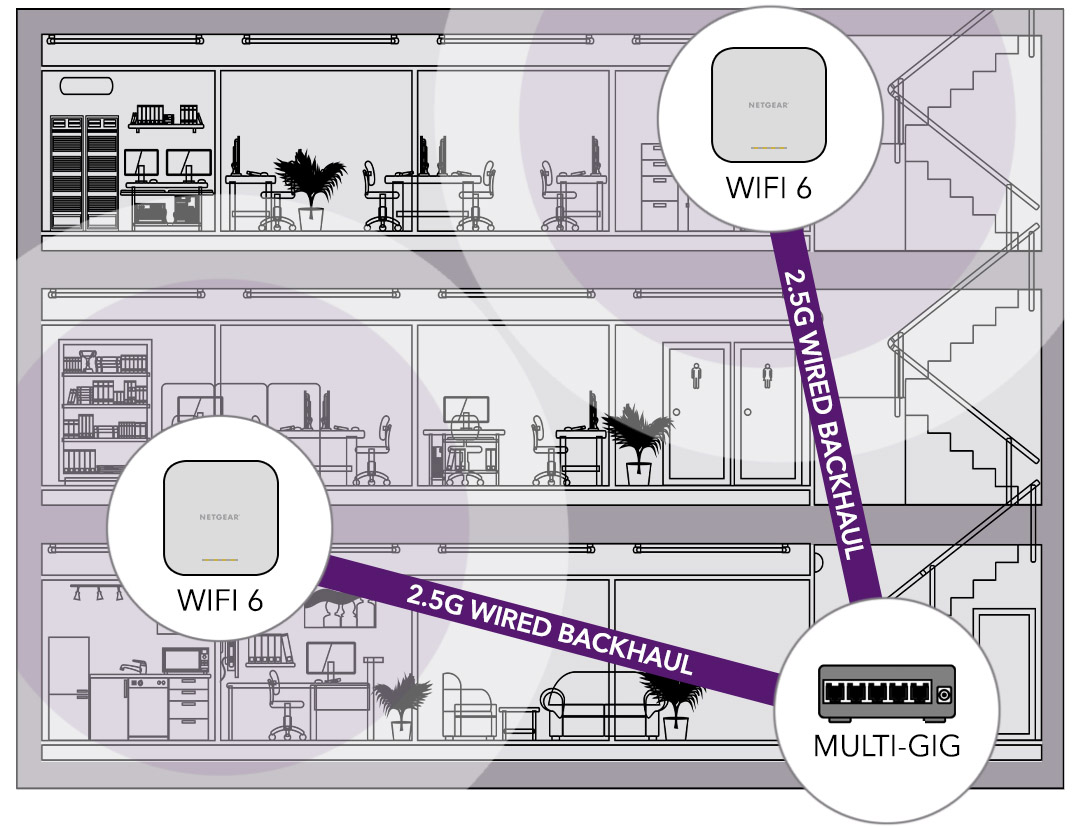
When setting up your Netgear router as an access point, it's essential to locate the ideal position to improve the wireless coverage of the existing network. The location depends on the layout of your home or office and the type of obstacles that may be in the way. Generally, the router should be placed in a central location to ensure maximum coverage. Avoid obstacles like walls, doors, and furniture, which can weaken the signal.
Step 2: Assign a Static IP Address to the Netgear Router
Before configuring your Netgear router as an access point, you need to assign a static IP address to it to avoid address conflicts on the network. To do this, connect to your router's configuration page using a computer connected to the router via a LAN cable. Log in to the admin page and go to the LAN settings section. Select the IP address of the router and enter a static IP address that is not already in use on the network.
Step 3: Configure Wireless Security Settings
When configuring your Netgear router as an access point, it's crucial to properly configure wireless security settings to protect the network and connected devices. Log in to your router's configuration page and go to the wireless settings section. Change the Wi-Fi SSID and password to prevent unauthorized access to the network. Also, enable WPA2 encryption and set up MAC address filtering to reinforce security.
Step 4: Configure the Netgear Router as Access Point
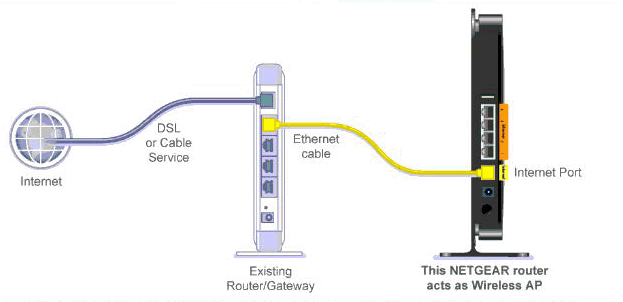
Now, it's time to configure the Netgear router as an access point. Go to the advanced settings section and enable the access point mode. Configure the SSID and Wi-Fi password for the access point, and set the channel width to the maximum allowed for optimal performance. Finally, click the apply button to save the changes and reboot the router.
Step 5: Connecting Devices to the Access Point
Once the Netgear router is configured as an access point, you can connect devices to it. Connect your computer or mobile device to the access point using the new SSID and Wi-Fi password. You can now enjoy a strong and stable Wi-Fi connection throughout your home or office.
Achieve Optimal Performance with Wi-Fi 6
Setting up your Netgear router as an access point for Wi-Fi 6 can help achieve optimal performance and coverage in your home or office. Wi-Fi 6 is a newer and faster standard compared to older Wi-Fi 5 standard. Wi-Fi 6 offers a data rate of up to 9.6 Gbps, which is significantly faster than Wi-Fi 5 standard. With Wi-Fi 6, you can expect faster data transfer rates, lower latency, and higher densities of devices.
Best Practices to Keep in Mind
- Position the Netgear router in a central location to improve the wireless coverage of the existing network.
- Assign a static IP address to the Netgear router to avoid address conflicts on the network.
- Configure wireless security settings to protect the network and connected devices.
- Enable WPA2 encryption and set up MAC address filtering to reinforce security.
- Configure the Netgear router as access point in the advanced settings section.
- Connect devices to the access point using the new SSID and Wi-Fi password.