Configuring a G Wireless Router for Home Network
If you're looking to set up a home network and want to know how to configure a G wireless router, you've come to the right place. In this article, we'll walk you through the steps to set up and configure a G wireless router for your home network, ensuring a seamless and secure online experience.
Why is Configuring a G Wireless Router Important?
A well-configured wireless router is essential for a home network to provide fast, reliable, and secure internet access to all devices connected to the network. A good wireless router configuration can make a significant difference in performance and range, ensuring that you get the best possible results from your internet service provider.
Table of Contents
*Step 1: Unbox and Physically Install the Router
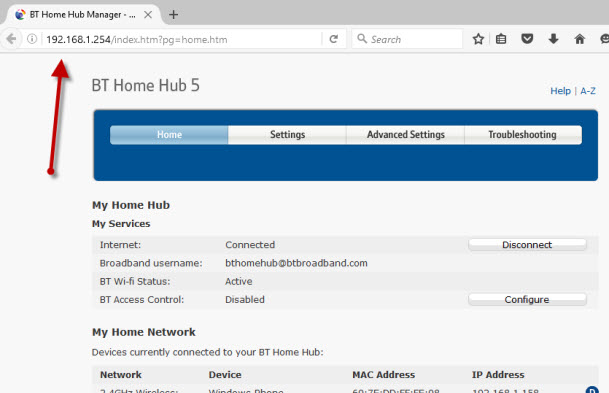
*Step 2: Set Up the Basic Settings
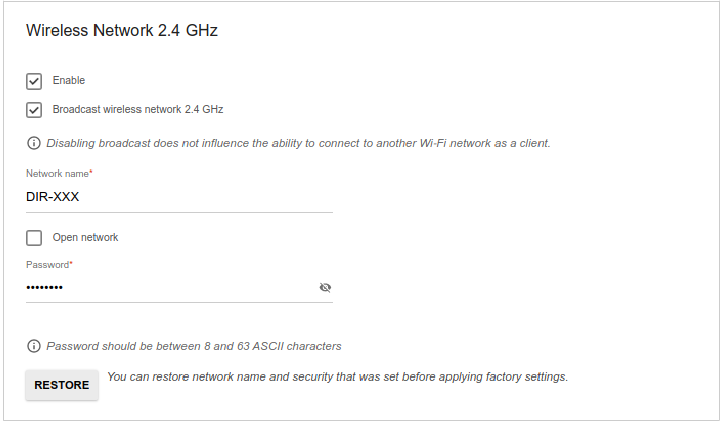
*Step 3: Configure the Wireless Network Settings
*Step 4: Secure Your Wireless Network
*Step 5: Optimize Your Network Performance
Step 1: Unbox and Physically Install the Router
Before you start configuring your G wireless router, make sure you've unboxed it and physically installed it in a central location within your home. This will ensure that you get the best possible signal strength and coverage.
.follow these steps:
- Take the router out of its box and inspect its various parts, including the antennas.
- Locate a convenient spot in your home with good cable access and minimal obstacles.
- Connect the power cord to the router and plug it into a nearby power outlet.
- Connect the modem and the router using an Ethernet cable.
Step 2: Set Up the Basic Settings
Once you've physically installed your router, it's time to set up its basic settings. This includes:
- Setting the time and date.
- Configuring the router's name (SSID).
- Setting the wireless channel and channel width.
- Enabling DHCP (Dynamic Host Configuration Protocol) on the router.
For instructions on how to set these basic settings, refer to the user manual or search for video tutorials specific to your router model.
Step 3: Configure the Wireless Network Settings
Configuring the wireless network settings involves setting up the security options, channel frequency, and router settings for maximum performance and range.
- Set up the wireless encryption method (WPA2 or WPA3).
- Set up the wireless channel and channel width for optimal performance.
- Configure the router's settings to allocate sufficient bandwidth for devices connected to the network.
Step 4: Secure Your Wireless Network
Securing your wireless network is crucial to prevent unauthorized access and hacking. You can:
- Change the default admin password.
- Use a strong password for your Wi-Fi network (SSID).
- Configure WPA3 secure encryption for added security.
- Set up a guest network with its own SSID and password.
- Set up parental controls and access restrictions for family members.
Step 5: Optimize Your Network Performance
Optimizing your network performance involves adjusting the router's settings to maximize the network's speed and range.
- Use Quality of Service (QoS) settings to prioritize traffic for important devices.
- Enable MAC address filtering to restrict access to authorized devices.
- Use beamforming technology to improve the signal strength and coverage.
- Update the router's firmware regularly to receive the latest security patches and performance improvements.
Conclusion
Configuring a G wireless router for home network requires careful attention to several key settings and best practices. By following these steps and tips outlined in this article, you'll be able to optimize your network's performance, security, and range, ensuring a seamless and reliable online experience for all devices connected to your network.
Remember to refer to your router's user manual or manufacturer's documentation for specific instructions and settings unique to your model. You may also need to consult online resources, forums, or technical support for troubleshooting and advanced setup.
Final Tips
Some final tips to ensure your wireless network stays secured and optimized include:
- Regularly updating your router's firmware and software.
- Secure your router and account with strong passwords and 2-factor authentication.
- Use a VPN for secure browsing and online activities.
- Monitor your network's activity and adjust settings as needed.
- Consider investing in a Wi-Fi analyzer app to detect and optimize your network's channel and frequency.
By following these tips and guidelines in this article, you'll be well on your way to configuring a G wireless router for an optimal and secure home network experience.








![Belkin F5D9231-4 [20/98] Connecting and configuring your router - MansIO](https://thebestvpn.com/wp-content/uploads/2018/08/router-vpn-setup-wired.jpg "Belkin F5D9231-4 [20/98] Connecting and configuring your router - MansIO")
