Mastering Home Internet Setup and Security: A Comprehensive Guide
A reliable home network is the key to a smooth online experience. With the increasing dependence on the internet for work, entertainment, and communication, securing your home internet setup is more crucial than ever. In this article, we will delve into the world of home internet setup and security, providing you with expert tips and best practices to safeguard your network and devices.
The Importance of Home Internet Security
Home internet security is often overlooked, but it's a critical aspect of protecting your online identity, devices, and personal data. If you don't secure your home Wi-Fi network, cyber threat actors can perform a number of operations that are detrimental to your privacy and security. For high-risk communities in particular, securing your home network is essential to prevent threat actors from gaining access to your network and reading any unencrypted data that you send over the internet.
Understanding Home Internet Setup
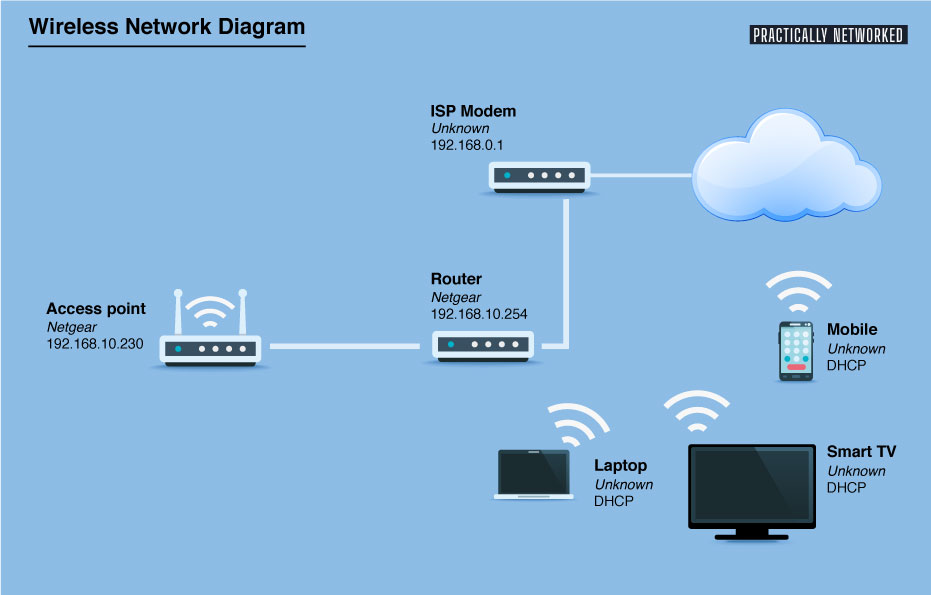
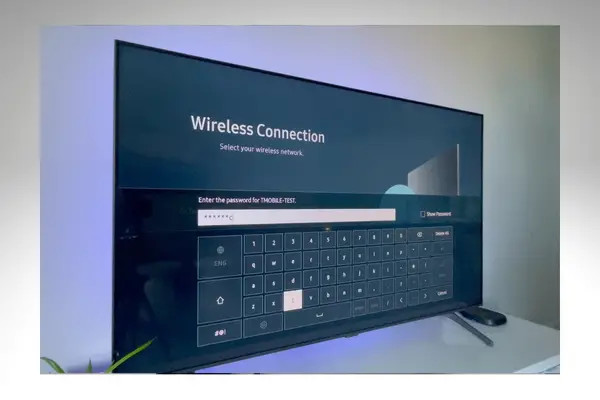
A home network is a group of devices (computers, game systems, printers, smartphones, tablets, and wearable devices) that connect to the internet and each other. A home network can be connected in two ways: a wired network, which is used to connect printers and scanners, or a wireless network that connects devices like tablets and mobiles without wires. A secure home network is an essential part of protecting your devices and data from cyber threats.
Steps to Secure Your Home Network
Securing your home network involves several steps, including:
- Using a strong and unique password for your router
- Enabling WPA3 encryption
- Setting up a VPN (Virtual Private Network)
- Updating your router's firmware regularly
- Disabling WPS (Wi-Fi Protected Setup)
- Changing the default admin password
- Monitoring your network for suspicious activity
Advanced Security Options for Home Networks

While the above steps provide a solid foundation for home network security, there are several advanced security options that can further protect your network and devices. These include:
- Implementing a guest network for visitors
- Using a network segmentation tool to isolate devices
- Enabling firewall rules to block malicious traffic
- Installing a network monitoring tool to detect suspicious activity
Protecting Smart Devices and Internet-Connected Appliances
Smart devices and internet-connected appliances are increasingly common in modern homes. However, these devices can be vulnerable to cyber attacks if not properly secured. To protect your smart devices and internet-connected appliances, ensure that they are updated with the latest firmware, use strong and unique passwords, and consider implementing a VPN to encrypt traffic between the device and the internet.
Best Practices for Home Internet Setup and Security
Here are some best practices to keep in mind when setting up and securing your home network:
- Regularly update your router's firmware and software
- Use strong and unique passwords for all devices and networks
- Enable WPA3 encryption and WPA2 encryption (if WPA3 is not supported)
- Disable WPS (Wi-Fi Protected Setup)
- Use a VPN (Virtual Private Network) to encrypt traffic
- Monitor your network for suspicious activity
Conclusion
Home internet setup and security are critical aspects of protecting your online identity, devices, and personal data. By following the steps and best practices outlined in this article, you can create a secure home network that safeguards your devices and data from cyber threats. Remember to regularly update your router's firmware, use strong and unique passwords, and enable WPA3 encryption to ensure your home network is secure and reliable.